How to Create Animated Conversation Videos for Social Media
Creating engaging content for TikTok, Instagram Reels, and YouTube Shorts is harder than ever. The algorithm favors videos that hook viewers in the first 3 seconds, and static screenshots just don't cut it anymore. You need movement, realism, and storytelling.
If you've ever tried to create a fake text message video for your content, you know the struggle. Screen recording your actual phone looks amateur. Video editing software takes hours to keyframe each letter. And most online generators either watermark your content or require expensive subscriptions.
The Problem with Current Solutions
Most conversation generators give you static screenshots. That's fine for a quick meme, but it won't stop the scroll on a crowded TikTok feed. You need that authentic "someone is actually typing" feeling-the cursor blinking, letters appearing one by one, the occasional backspace to fix a typo, and those dramatic pauses before the punchline drops.
Professional motion designers charge $50-100 per video. After Effects templates require expensive software and technical skills. And mobile apps? They're either packed with ads, add watermarks, or compress your video to pixelated mush.
The Solution: Browser-Based Animated Conversation Studio
The Arkcon Animated Chat Generator solves all these problems. It's a professional-grade tool that runs entirely in your browser-no downloads, no watermarks, no subscriptions. Create iMessage-style conversations with real-time typing animations that look completely authentic.
What Makes It Different
Unlike other tools, this isn't just a static mockup generator. It features the Turtle of Ark animation system-a unique scripting language that lets you control every aspect of the typing animation:
- Mid-typing corrections: Simulate real typos and backspaces
- Interleaved replies: Trigger the other person's messages while you're still "typing"
- Precise pauses: Add dramatic delays at exactly the right moments
- Cursor control: Move the cursor left and right for realistic editing
All processing happens locally in your browser. Your conversation data never touches a server, making it completely private and secure.
Key Benefits for Content Creators
1. Zero Cost, Zero Watermarks Completely free to use. No "Pro version" upsells. No hidden fees. Create unlimited videos without any branding.
2. Cinema-Quality Export Record your animation directly in the browser with the built-in WebM recorder. The dedicated "Cinema Mode" studio lets you zoom the phone to fill the frame, recording at 10Mbps bitrate for crisp, professional output.
3. AI-Powered Script Writing
Don't know how to format your conversation? Click the AI Prompt button to copy a specialized system instruction. Paste it into ChatGPT or Claude, describe your scenario, and get a perfectly formatted script using the -> and <- prefixes.
4. Multi-Platform Support While iMessage is the flagship style, the tool supports various chat formats perfect for different content niches.
5. Instant Deployment Export as a self-contained HTML file that you can embed anywhere, or deploy directly to GitHub Pages for a shareable link.
How to Use It: Step-by-Step
Step 1: Configure Your Contact
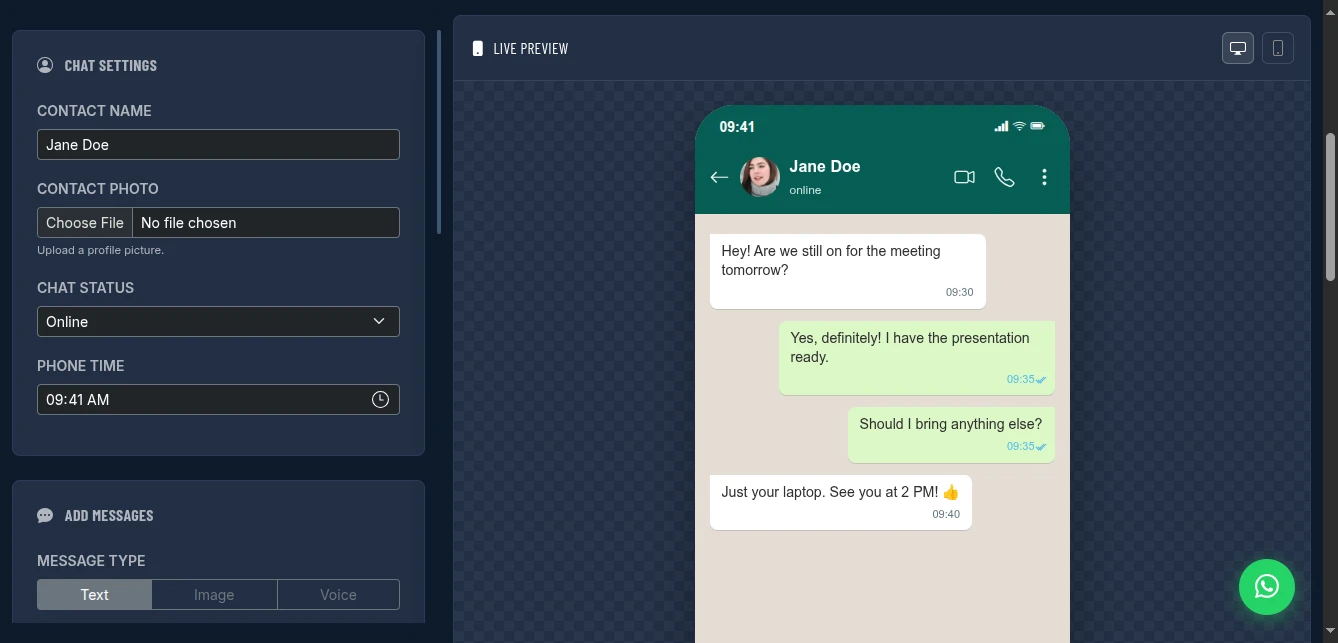
Set the contact name, upload a profile photo, pick their online status, and set the phone time. These details make your conversation look authentic.
Step 2: Script Your Conversation
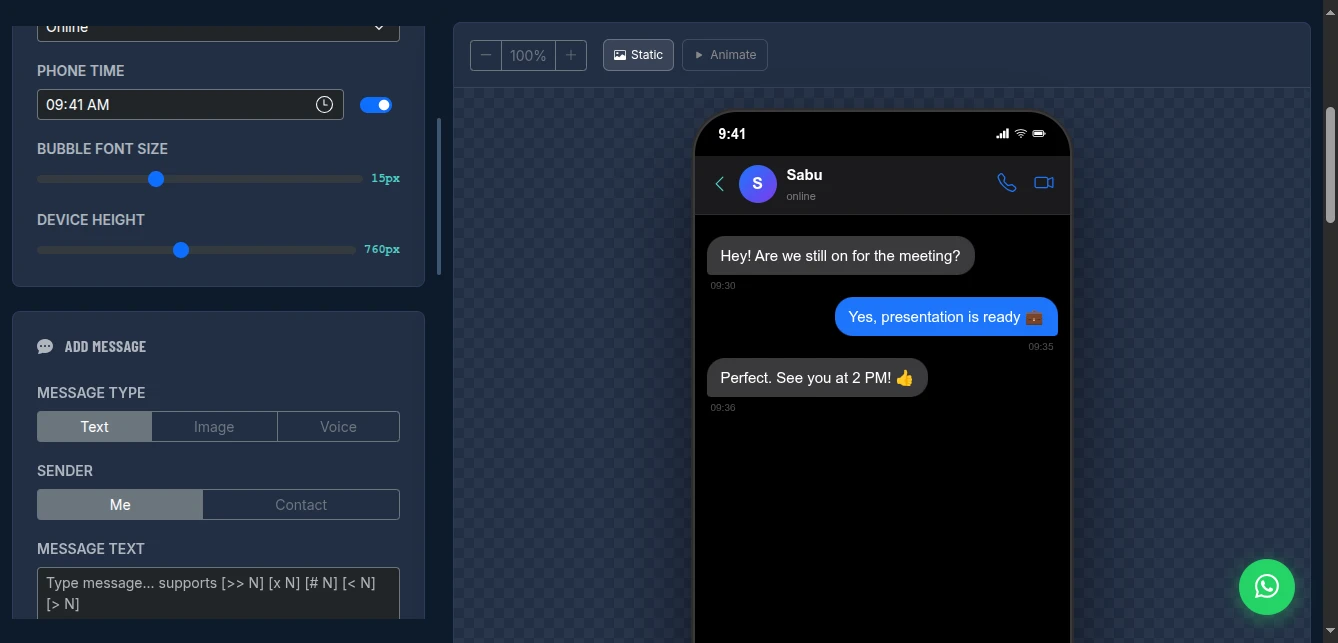
Add messages from "Me" (green bubbles, right side) or "Contact" (grey bubbles, left side). You can add text, images, or even voice messages with duration indicators.
Step 3: Add Turtle of Ark Animation Codes
This is where the magic happens. Embed control codes directly in your messages:
-> I left a brand new iphone[>> 2][# 3][x 6]calculator on your desk!In this example:
[>> 2]triggers the next 2 incoming messages mid-typing[# 3]pauses for 3 seconds for dramatic effect[x 6]backspaces 6 characters (deleting "iphone")
Step 4: Play and Export
Hit "Play Animation" to watch your conversation type itself out in real-time. Once satisfied, export as PNG screenshot or record the full animation as WebM video.
Sample Conversation Script
Here's a creative scenario you can use-a friend asking to borrow a phone, typing "ready" but hesitating after the other friend's message, then changing their mind:
-> Hey, can I borrow your phone for a sec? %14:30%
<- Sure, what's up? %14:31%
-> I need to check something real quick[# 2] %14:32%
<- Actually wait, I'm expecting an important call %14:33%
-> [>> 1][# 1.5][x 5]Never mind, it's fine %14:34%
<- You sure? %14:35%
-> Yeah, I'll figure it out %14:36%
The [>> 1] triggers the friend's message immediately, the pause creates tension, and the backspace shows the change of heart. This level of realism is impossible with static tools.
Perfect For These Use Cases
- Comedy sketches: Fake text conversations that go viral
- Storytelling: Visual novels and interactive fiction
- Marketing: Customer support scenario demonstrations
- Education: Training materials and role-play scenarios
- Memes: Relatable content that spreads fast
Conclusion
Stop settling for static screenshots or paying for overpriced animation software. The Arkcon Animated Chat Generator gives you professional results in minutes, not hours. With the Turtle of Ark scripting system, you have more control than expensive After Effects templates-completely free and entirely in your browser.
Ready to create your first viral conversation video? Try the tool now.